How to manage files and change CHMOD permissions for files?
The files in the web hosting account can be managed and the CHMOD permissions of the files can be changed via the File Manager menu in cPanel:

File Manager allows you to copy, move, compress and download/upload files and folders in your web hosting account.
To see the options, make a mouse right-click on the file or on the folder and a drop-down menu will open:
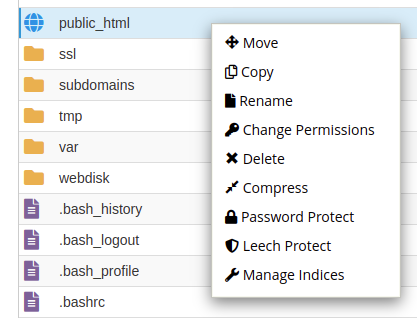
To password protect a publicly visible folder on the web, select “Password Protect” from the menu.
To change the permissions for a file or folder, select “Change Permissions” from the drop-down menu.
The default folder permissions are 755 or 750:
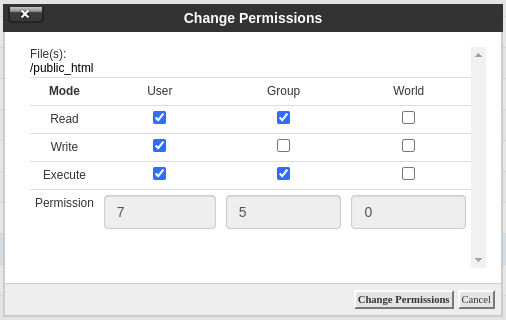
and file permissions are 644:

To completely restrict access to a file or folder, permissions 000 should be assigned to it:

The webpage files are in a “public_html” folder.
Additional domain webpage files are usually located in a “domains/domeeninimi.ee/public_html”.
To upload a file to the server, select from the menu bar at the top “Upload”.
To add a new file, select from the menu bar at the top “+File”.
To add a new folder, select from the menu bar at the top “+Folder”.